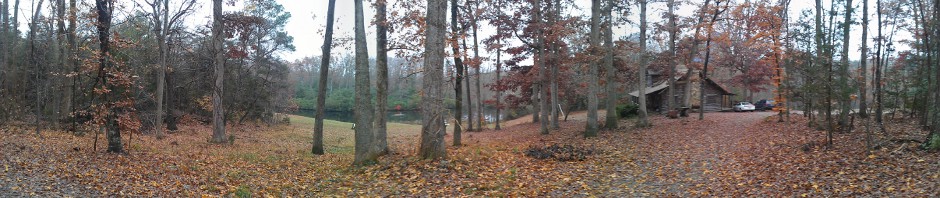
I’ve mentioned that I’ve been Clauding a bunch of tools lately. This is the biggest one, and it isn’t for show choir. It’s for camping at the Grandfather Mountain Highland Games. It’s not public yet, but it’s far enough along that it’s worth explaining what it is and why it exists.
Why
If you’ve never camped at the Games: it’s festival camping on MacRae Meadows, open once a year, with no assigned sites, gravel roads, shared power and water, and a lot of families who come back year after year. (See mtnfamily.camp for the camper’s-eye view.)
Registration for all that has been paper-and-email:
- A fillable PDF per camper (tent or RV), emailed to the field office, keyed in by hand, then invoiced.
- Returning campers get a pre-registration letter, and everyone else waits for general registration and emails in for a packet.
- The Meadow is at capacity for wheeled units and parking is over capacity, so every RV length class, curfew area and parking pass is a limited resource. Tracking that in spreadsheets during a rush is how you oversell.
- At check-in, the camping tent works from printed lists. Then attendants place people first-come, first-served, and there’s no real record afterward of who ended up where.
None of that is anybody’s fault. It’s what you get when a volunteer-heavy event grows for 70 years. But it’s exactly the kind of problem software is good at: lots of small rules, limited inventory, and a hard deadline when everyone shows up at once.
What
It’s a web app (Next.js, TypeScript, Prisma) that covers the whole camping lifecycle, from “I want to come back next year” to “your camper is parked here, on the map.”
- Events and campaigns. Each Games year is an event. Camping is one campaign, and the same engine handles patron packages, clan tent sponsorships, tickets, vendors and volunteers.
- The real rules, in code. Tent sizes with minimum fees and extra nights, four RV length classes with per-night rates and size-based check-in deadlines, camper ticket pricing, and the reserved vs. Jasper parking pass rules. All of it comes straight from the GMHG forms.
- Inventory by location. The 11 p.m. area, McRowdy (1 a.m., tents only, because it’s literally the side of a mountain), and Happy Valley (1 a.m., tents and small rigs) each have their own counts per tent and RV size.
- Roles. Campers; read-only; check-in staff; check-in admins; the camping coordinator who places people; registration admins; and full admins. Each sees only what they need.
Workflows
1. Returning-camper pre-registration
This mirrors how the field office already works. Last year’s campers are flagged as eligible, and when the pre-registration window opens they see a “welcome back” banner and can register before general registration opens. Those registrations land in an approval queue instead of grabbing inventory. An admin approves or rejects each one, and approval commits the spot atomically. If the slot filled while it was waiting, the admin is told instead of overselling.
2. Registration
A step-by-step wizard:
- Your info, pre-filled from your profile.
- Location first, then type. You pick a curfew area and see live availability for tents and each RV size there. McRowdy simply doesn’t offer RVs.
- Size and details: tent size and optional power, or RV length, type, slides and plug size (20/30/50 amp).
- Dates: a calendar that knows the opening day, your check-in deadline for your size, and departure rules.
- Your party: everyone camping with you.
- Tickets at the camper price.
- Vehicles.
- Parking: one pass per site, reserved or Jasper, and extras only where the rules allow.
- A summary with an itemized total, sign, and submit.
When registration opens there’s a rush. When you pick a slot, the app can put a short hold on it (about 10 minutes) so a slower typist doesn’t lose it at the finish line. Holds count against inventory and expire on their own. The final submit is a single atomic database update, so two people can’t both take the last 36-foot spot. If you lose a race anyway, you get a clear “that spot just filled, pick another” instead of an error page.
3. Party and waivers
Add everyone camping with you. Each adult gets a waiver they can sign on their phone with a finger, and the signature is captured and stored. Waivers, camper tags and registrations can all be printed for the office.
4. Office and admin
- An events tree with campaigns, inventory and arrival windows you can edit per year.
- Registrations move through submitted → confirmed → invoiced → paid → checked-in → placed, with inline status changes, search, filters and exports.
- A year-over-year camper view (who came last year, and in what).
- Dashboards for revenue, sales by location and size, and daily arrivals.
- An audit log of privileged actions.
5. Check-in
At the camping tent, staff search by name, email or registration number, verify the camper, add vehicles (plate, state, make, model, color) and check them in. Parking passes are numbered with the year, so each year’s passes are distinct. Campers can also pre-enter their own vehicles, which makes the line move a lot faster.
6. Placement
This is my favorite part. The camping coordinator has a satellite map of MacRae Meadows. They scan the QR code on a camper’s tag (or look them up), walk to the spot, and drop a pin. The camper is now placed, with GPS coordinates. By default the map shows a heatmap of where everyone is, and filtering by type or searching switches it to individual pins. For the first time there’s an actual record of where everyone camped, which helps next year’s planning, and it helps a lot if you ever need to find someone at 1 a.m.
How it’s built (and tested)
Most of this was written pairing with Claude, and the thing I’m proudest of isn’t any one feature, it’s the testing. The suite has around 255 tests:
- unit and integration tests;
- Playwright browser tests for registration, check-in and coordinator flows;
- adversarial tests (bad input, other people’s IDs, fuzzing every admin route);
- a pressure test that simulates the registration-opening rush with dozens of concurrent campers fighting over the same slots.
CI runs type checks, lint, tests and a build on every change. When “it oversold one RV spot” means a real family has nowhere to park their camper, that’s what it takes.
What’s next
It’s not public yet. Still to come are real payment processing (invoices are manual today), production hosting, and a dry run with the office before anyone’s actual campsite depends on it. When it’s ready, I’ll link it from mtnfamily.camp. See you on the Meadow, July 8–11, 2027.